Sharpen – College Exam Prep
- 4.2
- Rating
- 100.00K
- Installs
- Free
- Price

 Analysis by App-foxy
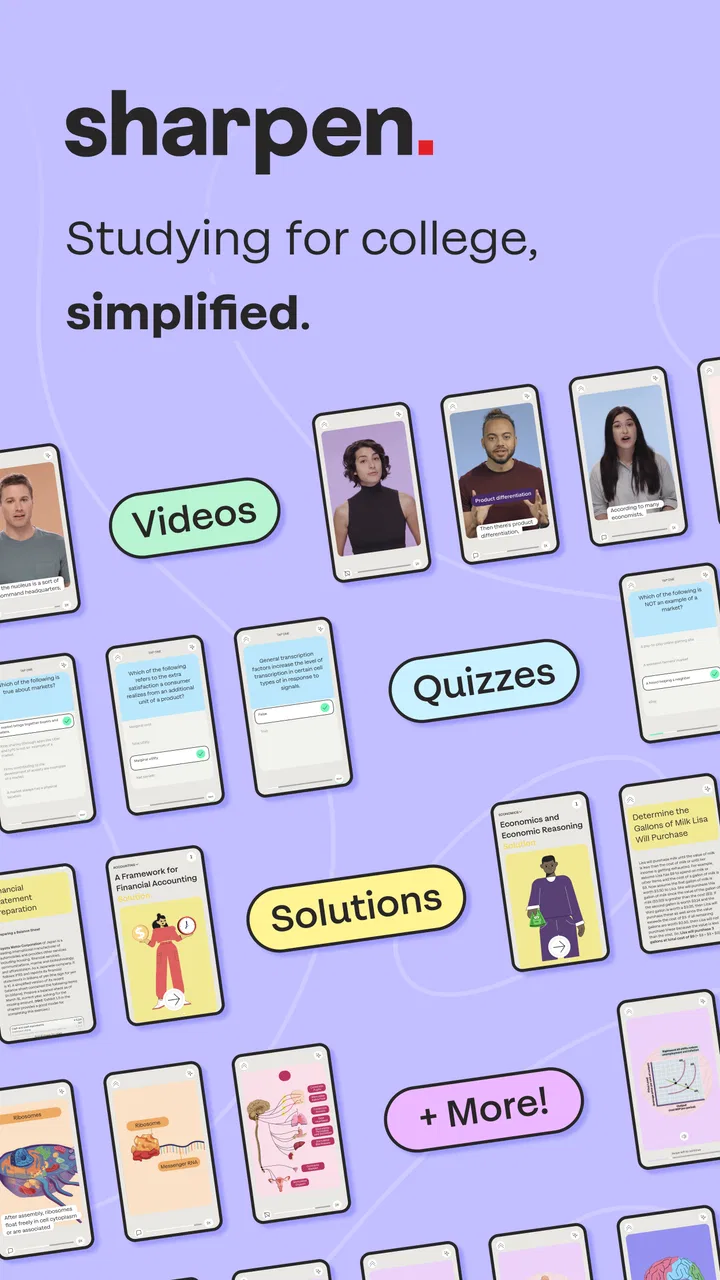
I tried Sharpen – College Exam Prep as a study companion rather than treating it like a complete replacement for textbooks, lectures, or a tutor. That distinction matters. The app is built for quick, focused revision, and its strongest idea is turning exam preparation into smaller study actions that are easier to fit around a busy college schedule. I can see the appeal immediately: instead of opening a large chapter and wondering where to begin, I can use a shorter session to review, test myself, and identify what deserves more attention.
Sharpen is a free education app from McGraw-Hill Global Education, with optional in-app purchases ranging from $17.99 to $89.99 per item. It is aimed at users aged 10 and over, although its college-exam focus makes it most relevant to students in higher education and anyone preparing for structured academic assessments. The app has reached over 100 thousand installs and holds a 4.2 average from around 910 ratings, which suggests a generally positive reception without making it a universal fit.
How Sharpen feels in its current form
The current version is 4.7.4, and my overall impression is that Sharpen is most useful when I already know the subject I need to study but want a more active way to review it. Its bite-sized approach encourages me to work in short bursts rather than waiting for a large, uninterrupted block of time. That makes it a practical option for a commute, a gap between classes, or the final part of an evening when concentration is limited.
You May Also Like

 Blood Strike: 2.5 Anniversary
Blood Strike’s Loadouts Turn Every Drop Into a Tactical Gamble
A close look at Blood Strike’s custom loadouts: how fast access to signature weapons reshapes its battle royale rhythm, rewards preparation, and narrows the gap between fights.

 Pandora - Music & Podcasts
Pandora’s Music Is Easy to Start, but Harder to Recover
Pandora’s strength is its low-effort path from a seed to a station. Its weak spot is how much confidence it asks you to place in connection, setup, and quiet recovery.

 8 Ball Pool
 Is Built on Rivalries, Rematches, and Routine
A close look at the rivalries, rematches, shared routines, and unanswered safety questions that turn a quick pool match into a persistent mobile community.

 Samsung Music
’s Quiet Strength Is Playing What You Already Own
Its reach comes less from spectacle than from dependable access to a personal library. That simplicity is both the app’s strongest retention engine and its ceiling.

 AccuWeather: Weather Radar
AccuWeather Review: A Quick, Clear Forecast for Everyday Decisions
For everyday plans, the best forecast is the one you can understand quickly. AccuWeather makes rain timing, radar, and local conditions easy to act on, with a few trade-offs.

 Hill Climb Racing
Why Hill Climb Racing Still Turns Crashes Into One More Run
A tiny car, a bumpy hill and one more upgrade: Hill Climb Racing keeps resurfacing because its simple chaos makes every near-miss feel personal.
More From Our News Desk



I would not describe it as a full academic library in app form. Its value comes from the way it organizes preparation and keeps the focus on exam-oriented practice. Students who expect long lectures, extensive written explanations, or a complete replacement for course materials may find the experience narrower than expected. I see it as a layer placed on top of normal studying: something that helps me retrieve information and notice weak areas after I have learned the underlying material.
The free entry point is helpful because I can explore the basic experience before deciding whether the paid content makes sense. At the same time, the purchase range means the cost can become an important part of the decision. A student should look carefully at which subject or preparation package is relevant before spending money, especially if the same course already provides practice questions, review sessions, or digital materials.
The best workflow is short, deliberate sessions
My preferred way to use Sharpen is not to open it randomly whenever I remember that an exam is approaching. I would first divide the course into topics, then use the app to review one area at a time. After each session, I would write down the concepts that still feel uncertain instead of simply moving on because the activity is complete. This prevents the convenient, bite-sized format from becoming passive tapping.
A useful routine is to begin with a quick review while the topic is still fresh, return to it later without looking at notes, and then reserve the final session for mixed revision. The benefit is not just speed. Switching from recognition to recall helps reveal the difference between “I have seen this before” and “I can explain it under pressure.” That is one of the more valuable ways to use a compact study app.
I also found that the app makes more sense when I pair it with a simple error log. If I miss a question or hesitate over a concept, I record the subject in a notebook or notes app and revisit the original lecture or textbook section. Sharpen can point me toward a weakness, but I should not assume that a short activity alone will repair a misunderstanding.
What the version and release history tell me
The app was released on October 31, 2022, and the current version number shows that it has continued through several iterations rather than remaining at its initial launch state. That is encouraging for an education product, because study tools depend heavily on refinement: clearer navigation, better organization, and smoother handling of repeated sessions can make a real difference over time.
Still, a newer version number should not be mistaken for proof that every subject or workflow will feel equally polished. The meaningful test for me is whether the current experience helps me move from a broad exam goal to a specific next action. If I can quickly identify what to review, complete a focused activity, and understand what to do afterward, the evolution is useful. If I still need to build the entire study plan elsewhere, Sharpen remains a supporting tool rather than the center of my preparation.
I appreciate that the product’s direction is easy to understand: it is trying to make college revision more manageable by breaking it into smaller pieces and adapting the study experience around the learner. My expectation would be continued attention to clarity and depth, not simply more content. In exam preparation, a well-explained correction is often more valuable than another short question.
What existing users gain from the current approach
For someone who already uses the app, the biggest advantage is continuity. Short study activities are easier to repeat than a large revision plan, so I am less likely to abandon the routine after a demanding day. This matters particularly for students balancing lectures, work, family responsibilities, and several subjects at once.
There is also a psychological benefit. A large syllabus can feel impossible when viewed as one task. A focused activity gives me a clear starting point and a visible sense of progress. That does not guarantee mastery, but it lowers the friction of beginning, which is often the real obstacle during exam season.
Another strong use case is the period between major study blocks. I would use Sharpen after reading a chapter, following a lecture, or finishing a practice assignment. Instead of immediately searching for another long resource, I can use a short review to check whether the main ideas stayed with me. If they did not, I know where to return. This is more efficient than rereading everything from the beginning.
However, current users should avoid treating personalized study as automatic academic judgment. An app can guide attention, but I still need to compare its coverage with the actual syllabus and the instructor’s expectations. A topic that feels comfortable in the app may still require calculations, written reasoning, diagrams, or practical application that a short mobile session does not fully reproduce.
Where Sharpen fits beside familiar alternatives
Compared with a traditional textbook, Sharpen is quicker to start and more interactive, but a textbook usually gives me greater depth and context. Compared with lecture recordings, the app is better suited to active recall than extended explanation, yet it cannot replace the instructor’s examples or the details discussed in class. Compared with flashcards I create myself, Sharpen may reduce preparation time, while personal flashcards can be more precisely tailored to the mistakes I actually make.
That trade-off helps define the right audience. I would choose Sharpen over a blank notes document when I need structure and momentum. I would choose a textbook or course guide when I need to understand a difficult idea from first principles. I would choose a question bank designed around a specific professional exam when exact exam simulation is more important than general college revision.
The app is also different from a generic productivity timer. A timer can help me protect a study block, but it does not provide academic direction. Sharpen’s role is closer to guided practice. The most effective combination may be to use a calendar or timer for scheduling, course materials for explanation, and Sharpen for compact review and self-testing.
Everyday scenarios where it earns a place
Imagine I have twenty minutes before a seminar. I would not try to read an entire chapter in that window. Instead, I could complete a focused Sharpen session on the topic covered in the previous class, note the concepts that still feel weak, and use those notes to ask a better question during the seminar. The app’s small-session design is well suited to that kind of transition between studying and attending class.
Another realistic situation is the week before an exam, when my notes are scattered across notebooks, slides, and documents. I would use Sharpen to create a repeatable review rhythm, but I would keep the syllabus beside me. Each day, I would select a subject area, complete the activity, and then check whether the result matches the course’s learning objectives. This prevents the app from becoming a distraction from the material that will actually be assessed.
For a student who struggles with procrastination, the first session can be deliberately modest. The goal is not to finish the whole course in one sitting; it is to start with one topic and use the result to plan the next step. That is where I think the app has a practical advantage over a large collection of PDFs. It reduces the number of decisions I need to make before studying.
Remaining gaps and points of friction
The bite-sized format has a clear limit: short activities can simplify complex subjects. If I am studying a discipline that depends on long-form writing, multi-step problem solving, laboratory interpretation, or detailed case analysis, I need additional practice outside the app. Sharpen may help me remember terminology or identify a weak concept, but it should not be my only preparation.
Personalization can also create a false sense of completeness. When an app presents a manageable sequence, I may feel productive even if I am repeatedly choosing comfortable topics. I would deliberately include difficult areas and use the results of missed questions to guide the next session. Otherwise, the convenience of the experience can work against honest self-assessment.
The optional pricing is another consideration. Because the app is free to start but includes items priced from $17.99 to $89.99, I would compare the relevant purchase with the resources already included in my course. The higher end may be reasonable for a substantial preparation package, but it is not automatically good value for every student. Someone taking only one class, or someone with strong instructor-provided materials, may prefer to stay with free resources.
I would also skip Sharpen if I am looking for a completely open-ended learning platform. Its purpose is focused exam preparation, not unlimited exploration of every academic subject. Likewise, students who prefer building their own flashcards, color-coded notes, and detailed schedules may find more control in a manual system, even if that system takes longer to set up.
Questions I would consider before installing
Is it suitable for a younger learner? The age classification is Everyone 10+, but the college-exam orientation means suitability depends more on the learner’s subject and academic level than on age alone. A younger student may find the study style useful, while the content and goals may still be designed with college preparation in mind.
Does the free version provide enough value? It is enough to test whether the short-session approach matches the way I study. I would use that opportunity before considering any optional purchase. If I do pay, I would first identify the exact subject coverage and decide whether it fills a real gap rather than merely adding another place to review familiar material.
Can it replace a tutor? In my view, no. It can make independent practice more organized and help me spot areas that need attention, but it cannot respond to a uniquely phrased question in the way a tutor or instructor can. It is better understood as a structured companion for self-study.
Will it work for last-minute preparation? It can help me use limited time more intelligently, but it cannot compress an entire semester of learning into a few short sessions. The earlier I use it as part of a routine, the more useful its feedback becomes. For a last-minute review, I would combine it with the official syllabus, class notes, and representative exam-style problems.
What I would watch as the product develops
For future updates, I would pay attention to how the app balances convenience with explanation. The most useful progress would be clearer guidance after an incorrect answer, stronger connections between a weak result and the next recommended topic, and enough depth to prevent complicated subjects from being reduced to memorization alone.
I would also watch how well the experience serves students with different study habits. Personalization is valuable when it responds to genuine performance, not merely when it changes the order of activities. The best version of Sharpen would help me understand why a topic is difficult and suggest a productive next move without hiding the underlying course structure.
Finally, I would want the app to remain transparent about its place in a broader study plan. It is most trustworthy when it encourages students to check their progress against real course requirements instead of implying that completing in-app activities equals exam readiness. That balance will matter more to me than a larger collection of short exercises.
My final view is positive but specific: Sharpen is a useful education app for students who want guided, compact revision and need help turning exam preparation into manageable sessions. I like it best as a bridge between learning and testing, not as a substitute for the material that teaches the subject in depth. The free starting point lowers the risk of trying it, while the optional purchases deserve a careful value check. If you want structure, quick practice, and a more active alternative to rereading notes, I would recommend giving it a fair trial. If you need detailed instruction, full exam simulation, or complete control over every study card, a textbook, tutor, or specialized question bank may serve you better.
FAQs for Sharpen – College Exam Prep
01What is Sharpen – College Exam Prep?
Sharpen – College Exam Prep is a study and test-preparation app designed to help college students organize revision and practice academic material. It typically combines study resources, practice questions, review sessions, and progress tracking in one mobile experience. The exact subjects, exam categories, and available tools may vary, so students should check the current app description before downloading.
02Which subjects and exams does Sharpen support?
Sharpen may cover several college-level subjects and exam-preparation areas, but the available content depends on the version of the app and the learner’s selected course or category. Before relying on it for an important exam, review the in-app subject list and confirm that it matches your syllabus. Content depth can also differ between topics, so it works best alongside class notes and official study materials.
03Is Sharpen – College Exam Prep free to download and use?
The app may be available as a free download, but some features, question banks, study plans, or premium resources can require payment or a subscription. Check the store listing and the purchase screen carefully for pricing, trial periods, renewal terms, and cancellation instructions. If you use a free trial, remember to cancel it through your Google Play or App Store account before renewal if you do not want to continue.
04Does Sharpen work without an internet connection?
Offline availability depends on the specific features and content included in the current release. Some apps allow previously downloaded lessons or questions to be used without a connection, while progress synchronization and certain media may require internet access. If you plan to study while traveling or in a location with weak service, open the relevant materials online first and verify whether they remain accessible offline.
05Can Sharpen replace a teacher, textbook, or official exam preparation course?
Sharpen can be a useful supplement for reviewing concepts, practicing questions, and maintaining a regular study routine, but it should not automatically be treated as a complete replacement for lectures, textbooks, instructors, or official exam guidance. Its accuracy and coverage may vary by subject. Compare explanations with trusted academic sources, and use your course syllabus or examination board requirements as the final reference.
Pros
- Focused practice for college entrance and academic exams
- Short study sessions make it easy to review on a busy schedule
- Progress tracking helps identify topics that need more attention
- Practice questions can improve familiarity with exam formats
- Useful for independent learners who prefer studying at their own pace
Cons
- Some advanced features may require a paid subscription
- Question coverage may vary depending on the exam or subject
- Explanations may feel too brief for difficult concepts
- Requires consistent self-discipline without live teacher support
- Performance can depend on the quality of the selected study plan

Sharpen – College Exam Prep
Gallery